 Orquest AI
Free and open source
Your coding agents, in an office you can watch.
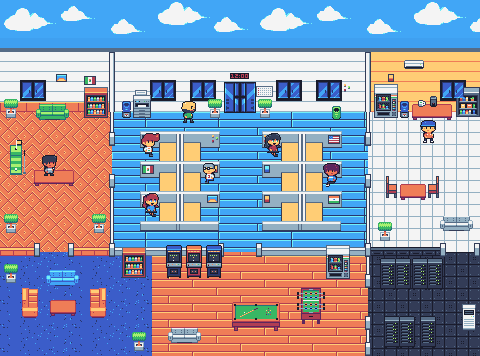
Claude Code, Codex and other AI CLIs work as employees, each in its own copy of the repository. You only talk to the boss: it builds the team, hands out the tasks and reviews the deliveries, and nothing reaches your branch without your approval.
A replica with a sample project that moves on its own: explore it without installing anything.
How it works
- You hire the boss
Pick the CLI that runs it, give it a name and set the project goal.
- The boss proposes the team
It defines the roles needed and the provider and model for each. You approve, adjust or discard.
- Each employee in its own office
Each employee works in an isolated copy of the repository, without getting in the way of the others.
- The boss reviews, you merge
No change reaches your branch without the boss's review and your approval.
What's included
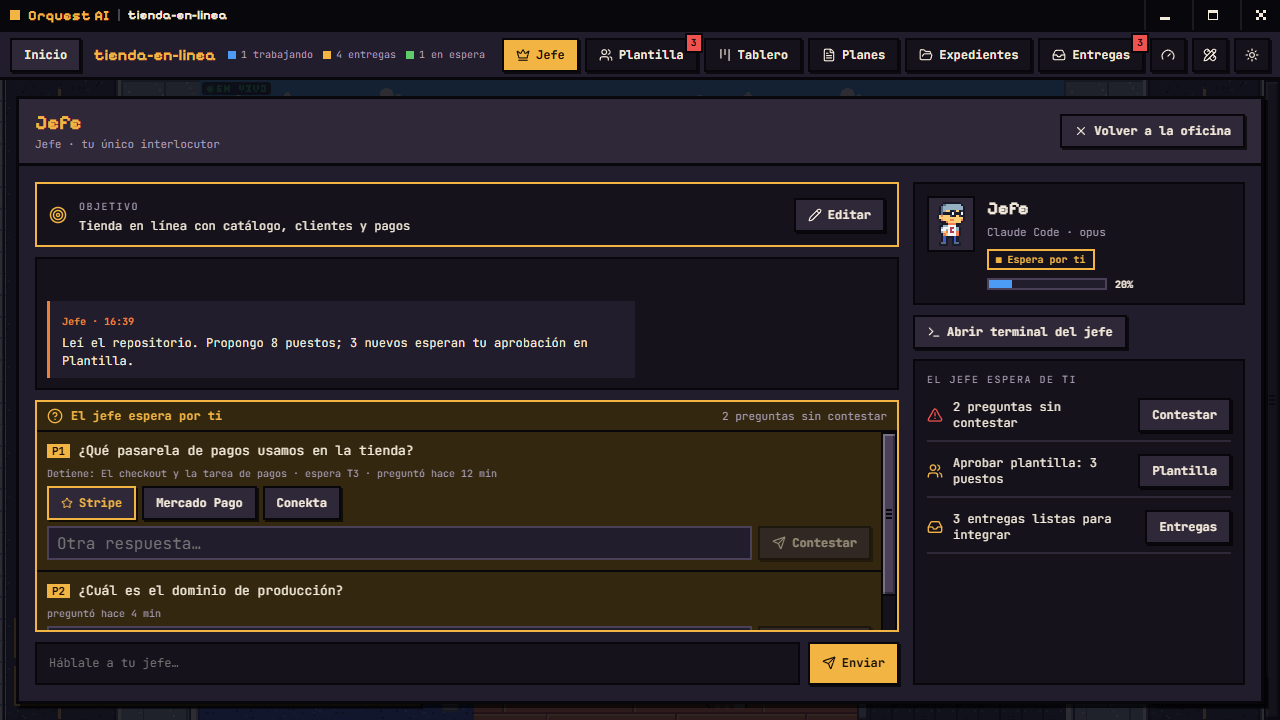
A single point of contact.
You only talk to the boss. Whatever it needs from you stays as a pending question, with suggested answers, until you deal with it.
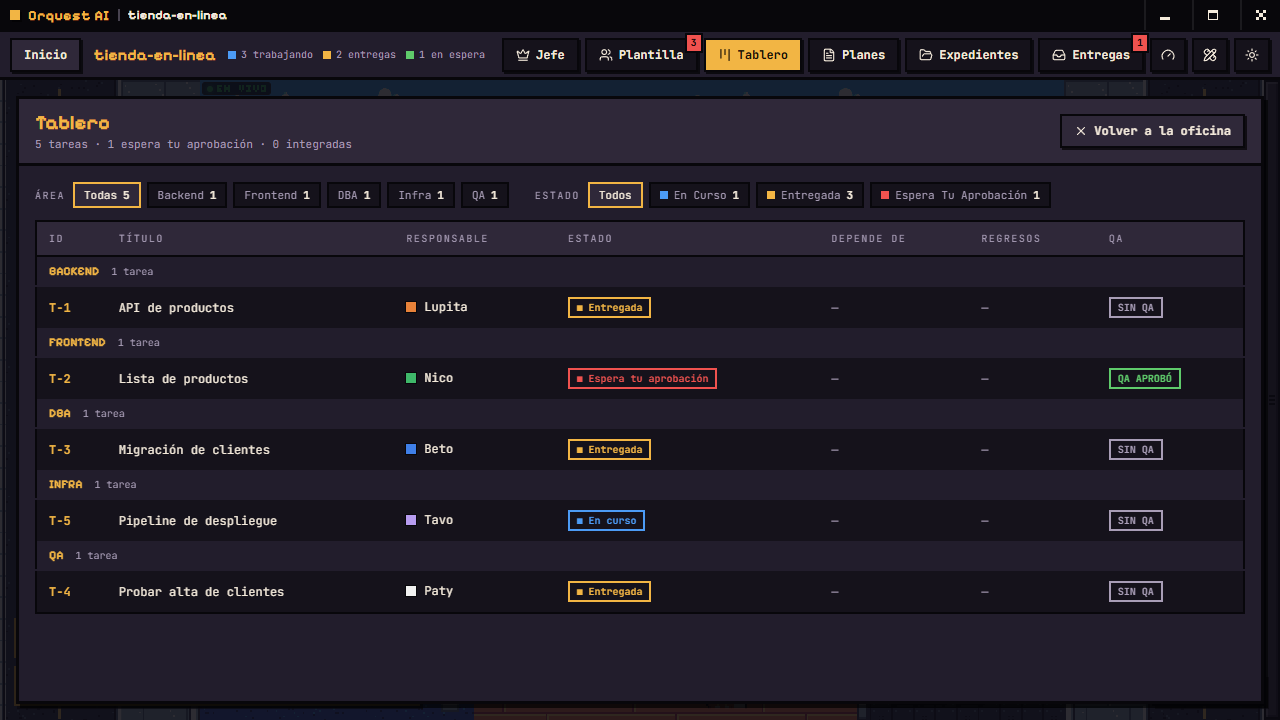
A board with dependencies.
Tasks are chained by dependencies: a task that depends on another doesn't start until that one is merged.
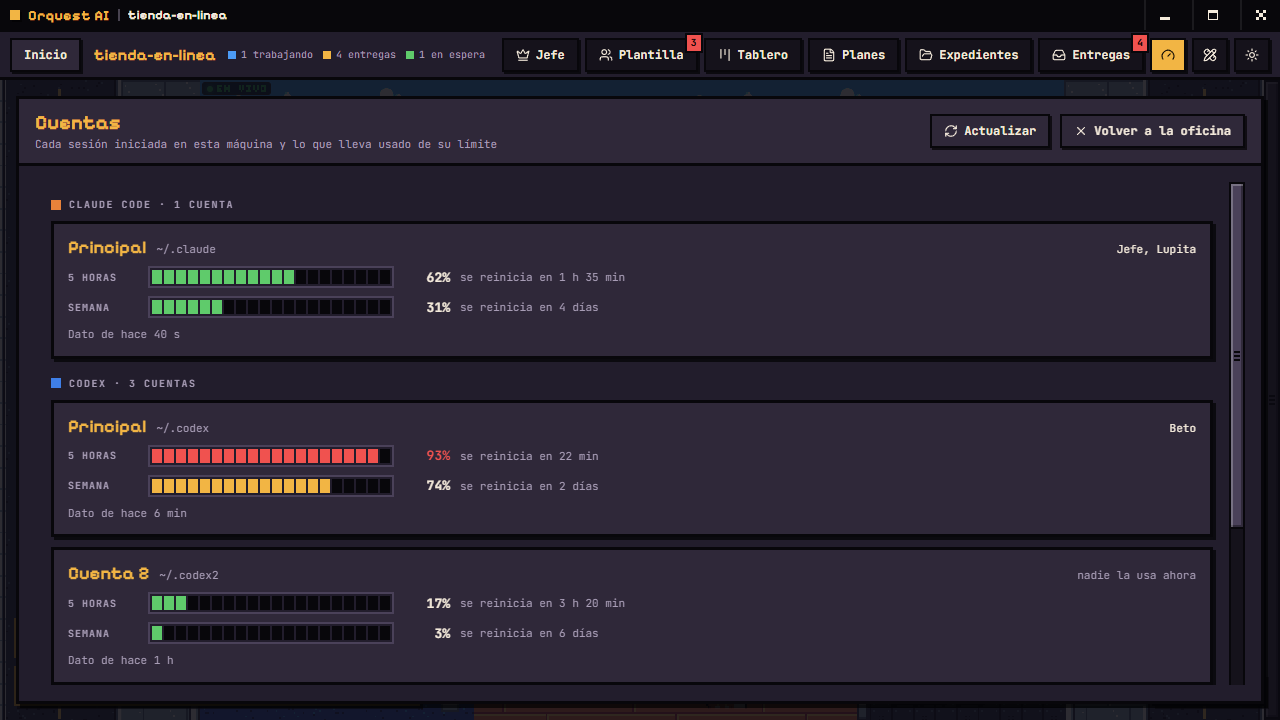
Your account usage.
See how much of each account's limit you've used and choose which one each employee works with.
Permissions per role
Each role has a manual that defines what it can edit and which commands it runs without asking. Orquest AI never bypasses the permissions of any CLI.
Persistent memory
When an agent runs out of context, it writes a handoff, restarts its session and picks up from its journal. Whoever takes the role later gets it too.
Records
A record of how each provider and model has performed in your projects: deliveries merged on the first try, and rejections. The boss checks it before proposing a hire.
Runs locally
There is no Orquest AI server. The board lives in a local database and the agents use the sessions you're already signed into in each CLI.
Supported CLIs
Orquest AI doesn't include models: it runs the CLIs you already have installed and signed in. It needs at least one, plus git.
- Claude CodeThe most thoroughly tested
- CodexTested in real use
- AntigravityTested in real use
- OpenCodeTested in real use
- Command CodeIntegrated, lightly tested
- KimiIntegrated, lightly tested
- GrokIntegrated, lightly tested
Requirements
With git and one CLI you can already open the office. The rest is optional: tools your agents put to use if you have them installed in your CLI.
The essentials
- Git
- At least one supported CLI, signed in
- Windows 10 or 11 (macOS and Linux, in testing)
- Node 22.5 or later, only if you build from source
Recommended, by role
- DESIGN
- Pencil
Whoever holds the design role draws the screens on a canvas and frontend builds them from there.
- QA
- Playwright
Opens the app in a browser, walks the flow like a user would and saves screenshots as evidence.
- REPOSITORY
- GitHub CLI
Reads issues and prepares Pull Requests from the terminal.
Download
Version v0.1.0, preview. The installers aren't signed yet, so Windows and macOS show a warning when you open them. The macOS and Linux ones are built automatically and haven't been checked by hand yet; if you try them, we'd love your feedback.
All versions · or build from source: npm install && npm run dev
Open source
Orquest AI is free software under the Apache 2.0 license. Contributions come in as Pull Requests and every change is reviewed by the project author.
Where you can help
- Testing on macOS and Linux
- Full integration of the remaining CLIs
Support the project
Orquest AI is free. If you'd like to support it, or would rather have me walk you through the setup, you can do it here.
-
Buy me a coffee
1 USD · per coffee
If Orquest AI saves you time, a coffee helps keep it moving. It doesn't unlock anything: everything is free and open source.
Buy a coffee -
1-on-1 session
20 USD · 2 hours
Over a video call: we install Orquest AI and your CLIs, open your first project and I walk you through how the office works.
You pay now and I get in touch within 24 hours, by email or phone, to agree on a day and time. If we can't find a slot, I refund the payment.
Book a session